Built for garage door pros
Run your entire garage door business from one place.
From the first call to the final payment, Garage Door HQ keeps your jobs, customers, doors, estimates, inventory and money together.
Built for the guy in the truck — not adapted from generic field-service software.
Founding Member Offer
$39.99/month$399/year
$249/year
7-day free trial · Everything included · Unlimited users
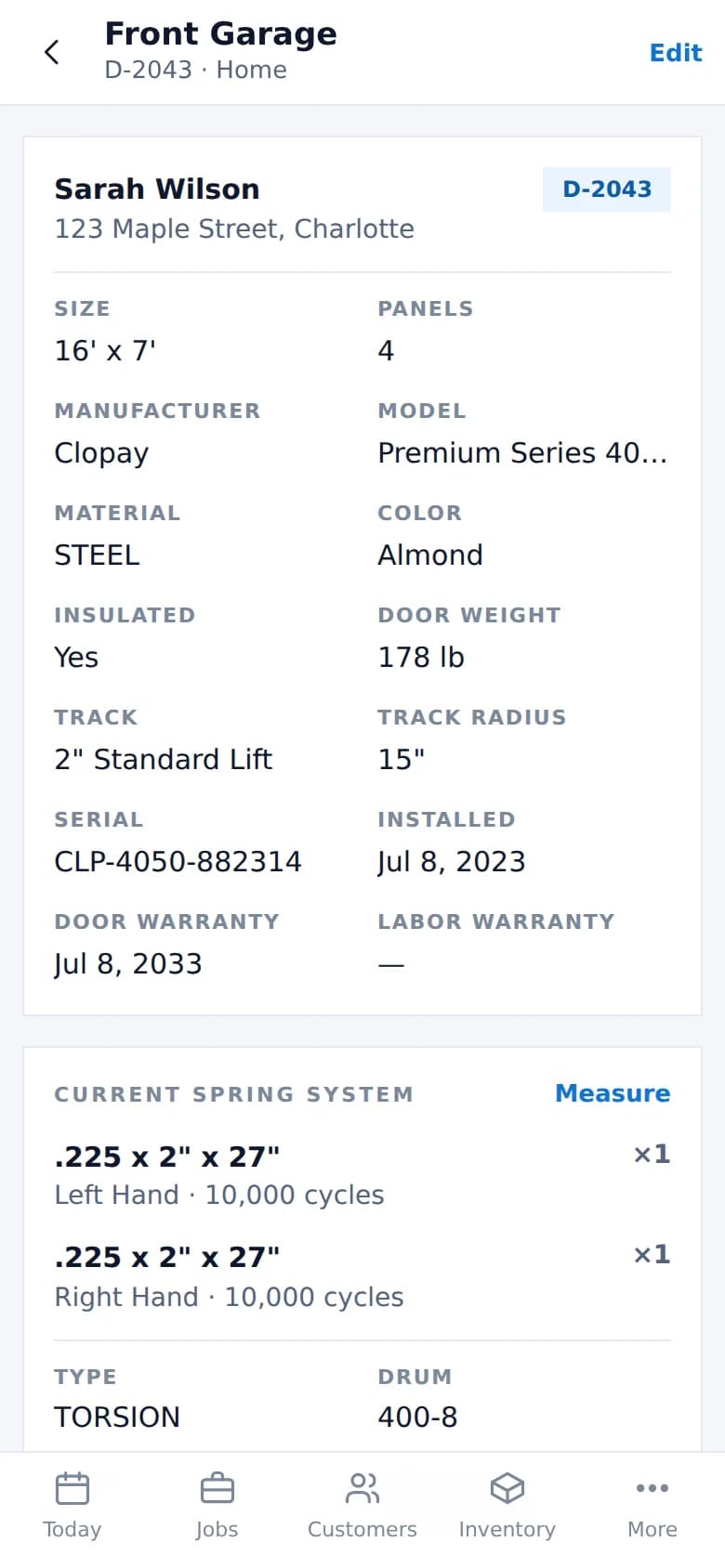
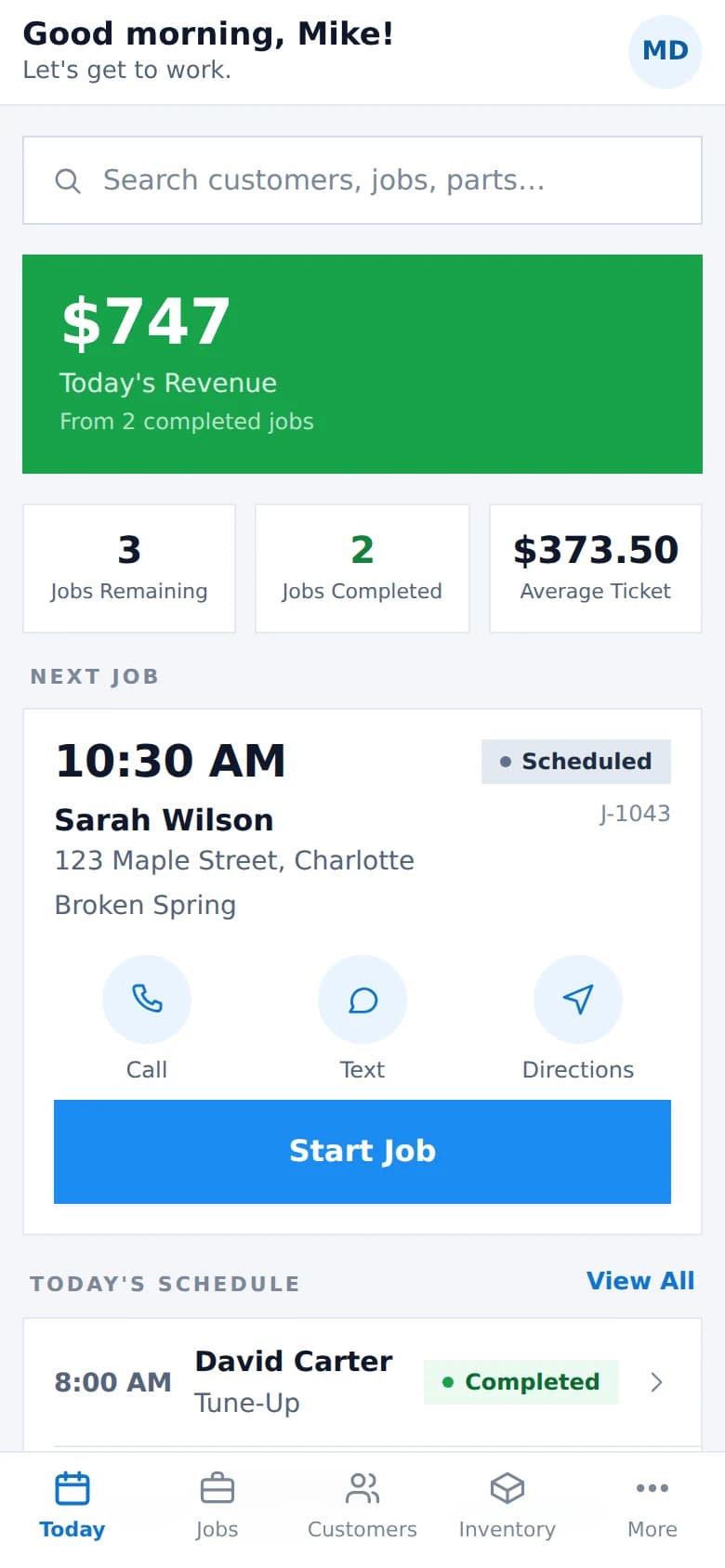
One service call
From the first call to getting paid.
- 1Call
- 2Schedule
- 3Inspect
- 4Build Repair
- 5Present
- 6Sign
- 7Do the Work
- 8Invoice
- 9Get Paid
- 10Passport Updates
Door Passport
Every door has a story.
Garage Door HQ remembers it.
The next time you pull into that driveway, don't start from zero. Every door at every property has its own record — and it outlasts the technician who wrote it.
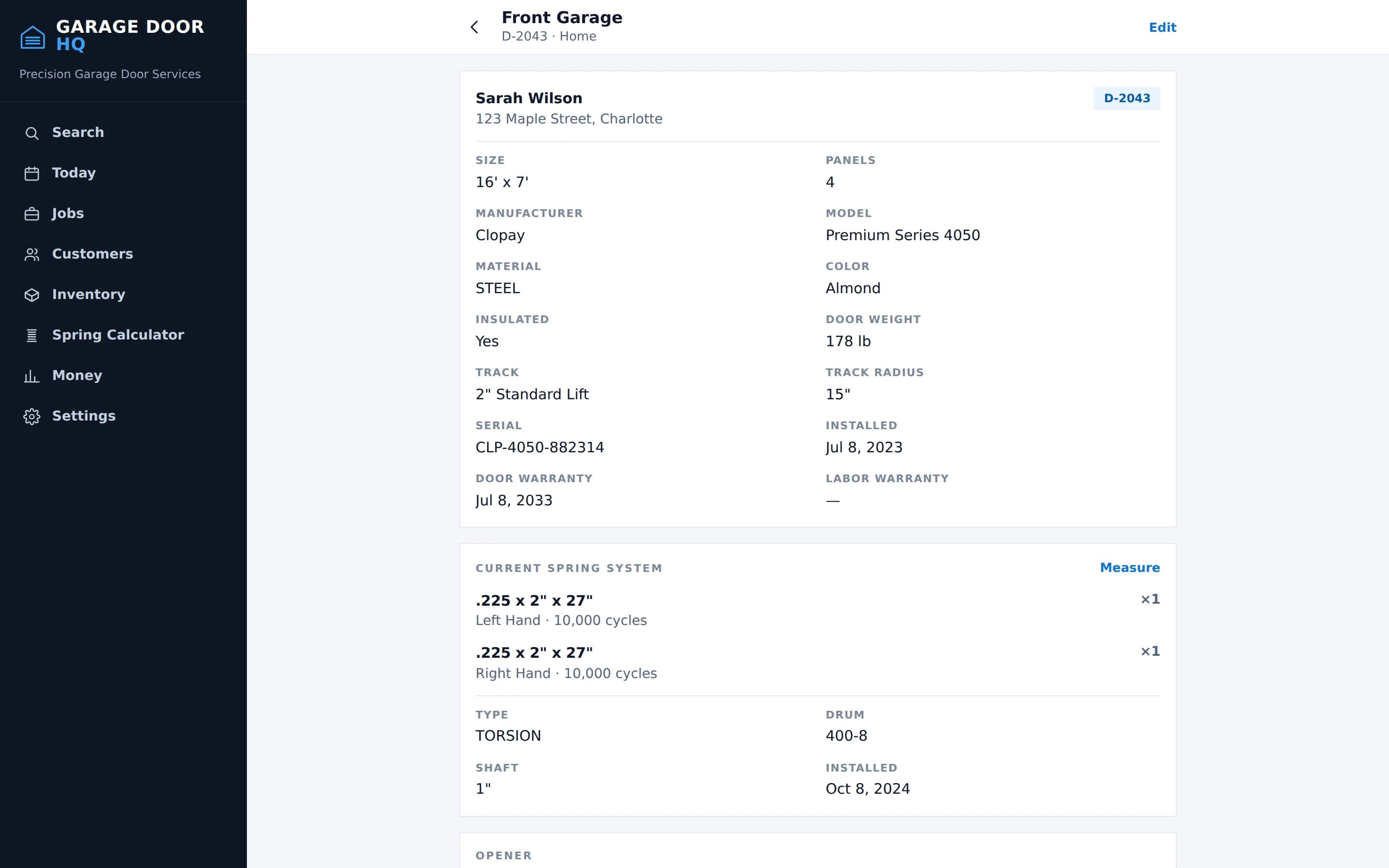
- Size and panel count
- Manufacturer, model and serial
- Material, colour and insulation
- Measured door weight
- Track type and radius
- Opener make and model
- Spring system, wind and cycle rating
- Warranty dates
- Service and replacement history
- Photos from every visit
History, not overwrites
When a spring or an opener is replaced, the one that came off stays in the record. Two years later you can still see what was on the door, when it changed, and what went on instead.
Inspection → Estimate → Signature
Inspect the door. Build the repair. Get it signed.
Three screens, one continuous motion. What the technician finds becomes what the customer is offered, and what the customer approves becomes the work — without anything being re-typed on the way.
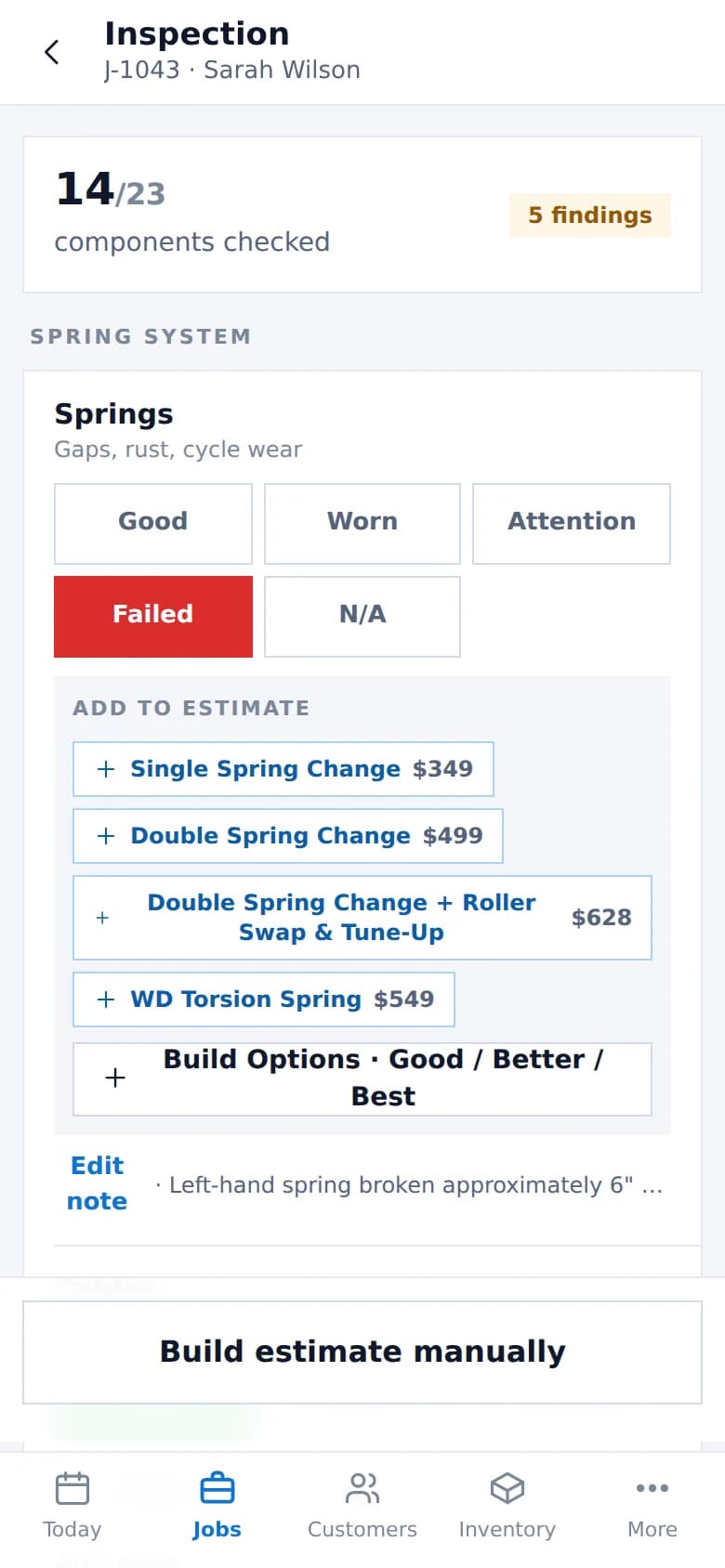
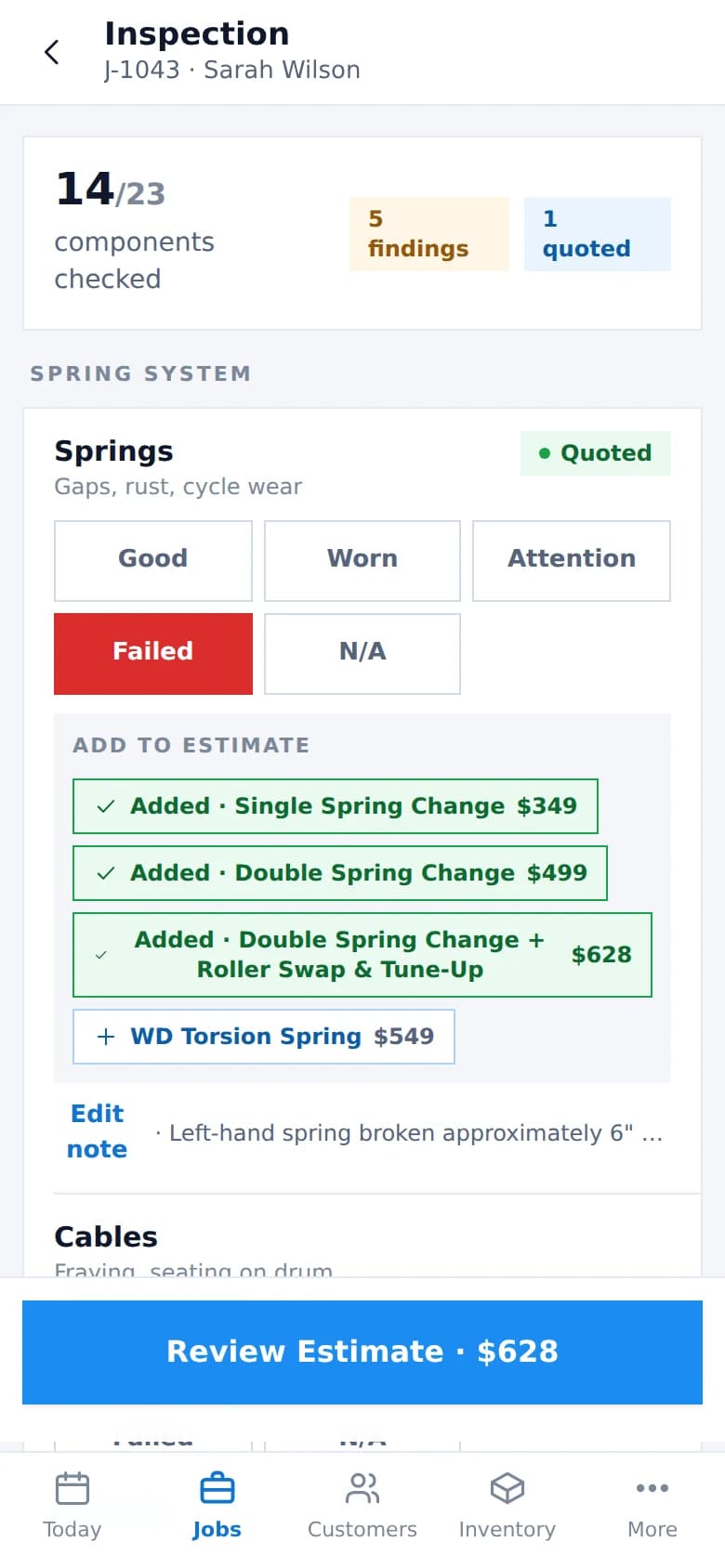
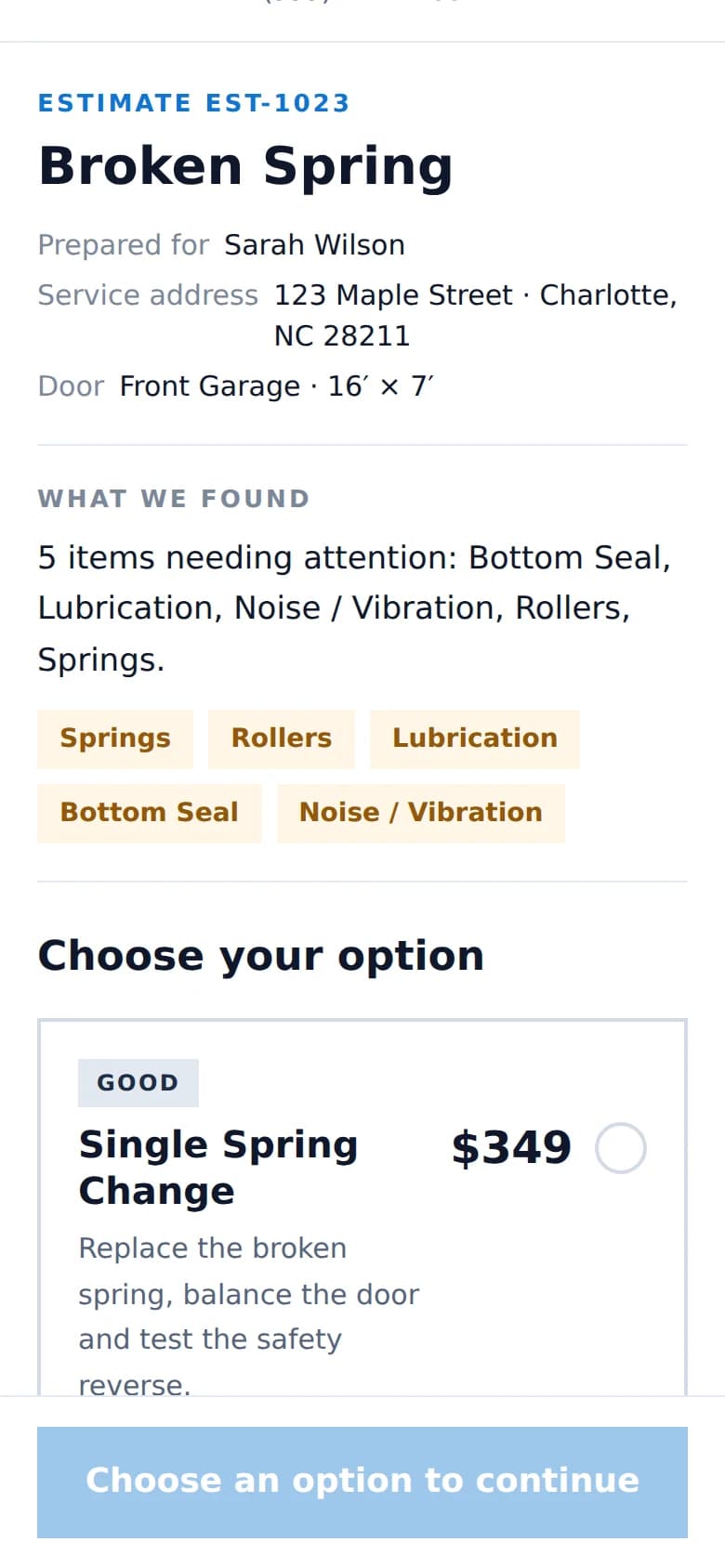
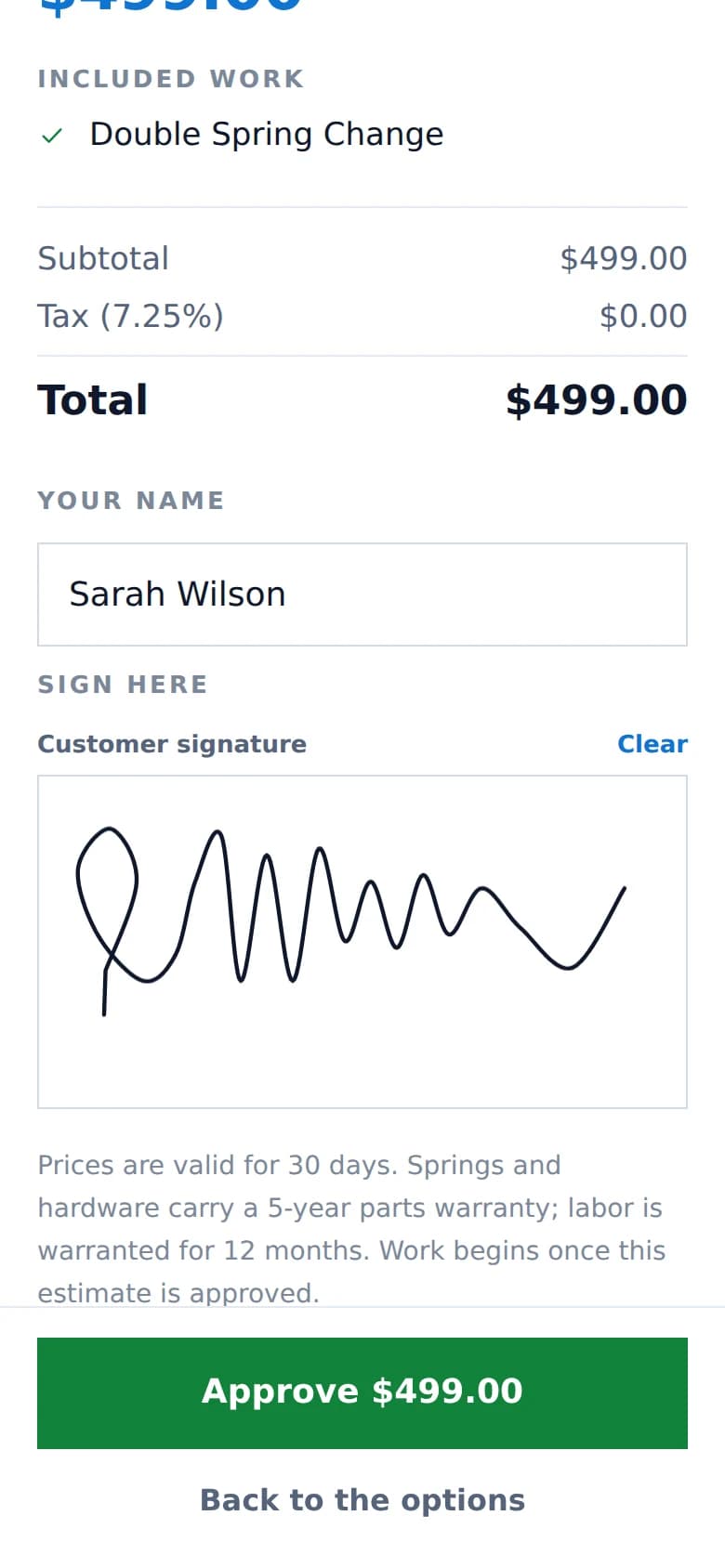
A garage-door inspection
Twenty-three components grouped the way the door is built. Each one takes the kind of answer it actually has — springs wear, a balance test passes or fails, lubrication is done or it is not.
- Springs, cables, drums
- Bearings and shaft
- Rollers, hinges, tracks
- Brackets and bottom fixtures
- Panels, seals, weather stripping
- Door balance
- Opener, wall control, remotes
- Photo eyes and auto-reverse
Options, not a template
Offer one repair, two, or three. Good / Better / Best is available when you want to present tiers and absent when you do not. If the spring is broken and the fix is a spring, present one price.
Nothing makes you pad an estimate to fill a layout.
Signed in the driveway
The signature is stored with the estimate and with the option the customer chose, at the moment they chose it — not with a version of it edited afterwards.
Need to send it instead? For a full installation proposal, that is usually the better workflow, and it is built in.
Customer Presentation Mode
Hand them your phone.
Your phone or tablet becomes the customer's estimate. They read the work, choose when there is a choice, and sign — standing in their own driveway, on the device already in the technician's hand.
No app to install. No email to find. No “I’ll call you back.”
Handing over the phone is not handing over the business
The device locks to that one estimate. Navigating anywhere else is refused by the server, not merely hidden, and photos are limited to the ones on that estimate. Getting back out needs a technician password.
Spring lookup + inventory
Know the spring. Know if you have it.
Measure what is on the door — .225 × 2" × 27" — and Garage Door HQ finds the matching parts in your price book and tells you where they are. On the truck, in the warehouse, or on somebody else’s truck.
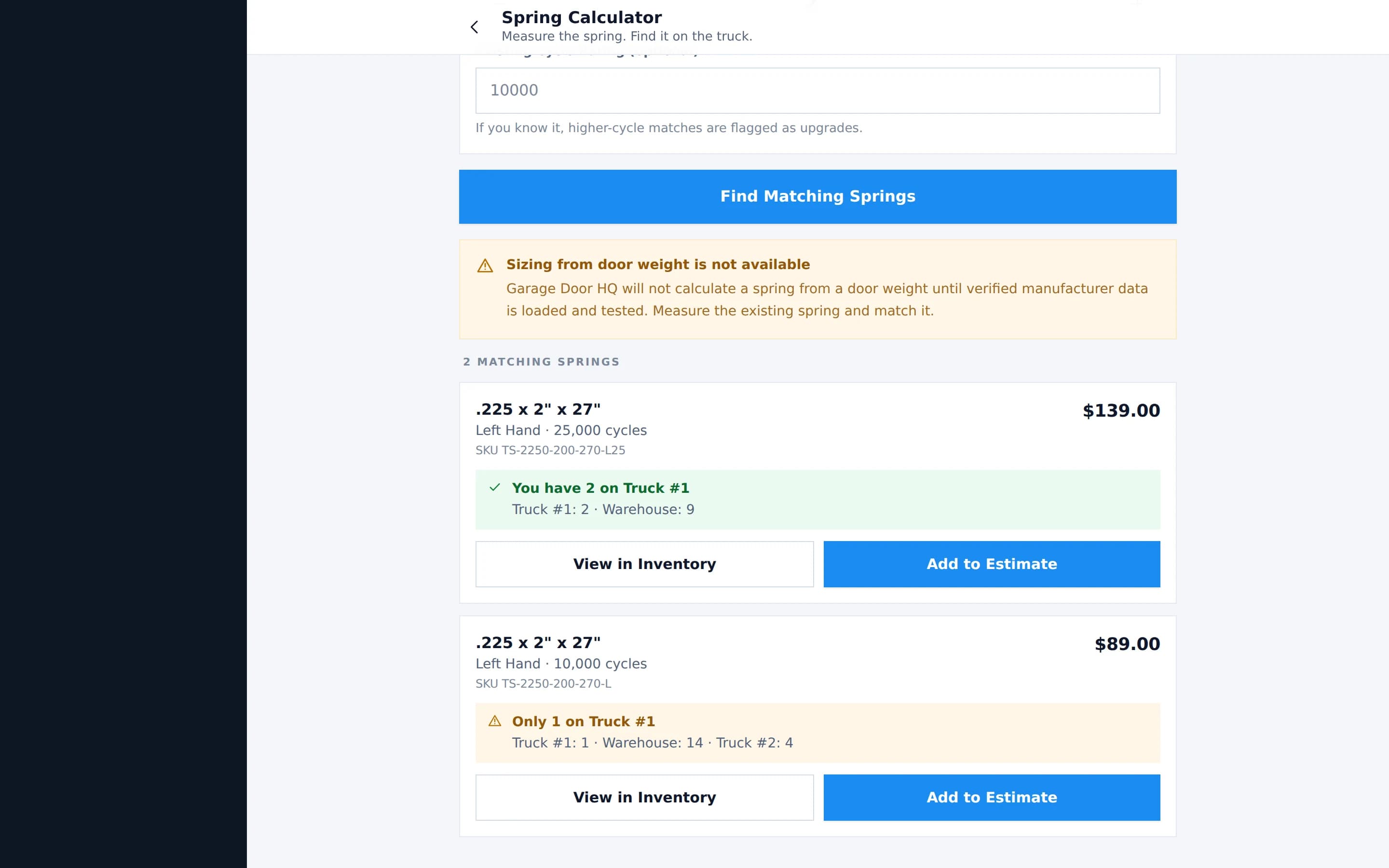
Matching, not engineering
This matches a spring you have measured against parts you stock. It does not calculate a spring from a door weight — that is engineering, and a wrong answer puts somebody under a loaded door. Garage Door HQ says so on the screen rather than guessing.
Generic software knows you have an appointment.
Garage Door HQ knows the door.
- Clopay Premium Series 4050, insulated steel
- 16′ × 7′Clopay Premium Series 4050, insulated steel
- Measured door weight, never inferred
- 178 lbMeasured door weight, never inferred
- Torsion pair, 10,000 cycle
- .225 × 2″ × 27″Torsion pair, 10,000 cycle
- Matching springs, in stock, right now
- 2 on Truck #1Matching springs, in stock, right now
Not a better calendar. A system that knows what is on the door before the truck pulls up.
And the rest of the day
The unglamorous parts, done properly.
The work between the interesting screens still has to happen. None of it costs extra, and none of it is held back for a higher plan.
- Today
- The next job, the day's schedule, what is done and what is left, revenue and average ticket.
- Scheduling
- Put jobs on the calendar and move them when the day changes, which it does.
- Customers and properties
- A customer has properties; a property has doors. Every job hangs off the right one.
- Truck and warehouse inventory
- Each truck is its own stock location. Transfer between them, set minimums, see what is low.
- Parts usage
- Completing a job with parts on it takes them off the location they came from.
- Price book
- Your parts and labour at your prices, with reusable packages for the repairs you do weekly.
- Invoices and payments
- Built from the approved work. Card, cash or cheque, with cards settling into your own account.
- Money
- Revenue, jobs, average ticket, parts cost, processing fees, outstanding invoices.
- Team and roles
- Owner, admin and technician. A technician does the work without seeing your margins.
One truck, or ten
Just you? Perfect.
Garage Door HQ sets up as a one-person company by default. Your truck is called My Truck, the schedule is your schedule, and nothing asks you to assign a job to yourself.
Hire another technician? Add them.
Your software bill does not go up. No per-user fee, no per-technician fee, no upgrade to a “team” plan.
Pricing
One plan. Everything in it.
No tiers to compare, nothing held back for a higher plan, and no charge for putting another technician in another truck.
Founding Member Offer
$39.99/month$399/year
$249/year
7-day free trial · Everything included · Unlimited users
- Unlimited users
- Unlimited technicians
- Unlimited customers
- Unlimited jobs
- Door Passports
- Inspections
- Estimates
- Customer Presentation Mode
- Signatures
- Inventory
- Invoices
- Payments
- Every current core feature
7-day free trial. Card details are entered when you activate, not before.
Your garage door business. One HQ.
Less paperwork. More doors.
A stronger business.
Founding Members · $249/year · Everything included