Features
Four things generic software doesn’t have.
Then everything else you would expect, included at the same price. Garage Door HQ is one product with one plan, so this is not a list of what you would get if you paid more — it is what is in front of you on day one.
01 · Door Passport
Every door is a record, not a line on an invoice.
A customer has properties. A property has doors. Each door carries its own equipment, measurements and history — and keeps them when the technician who wrote them down leaves.
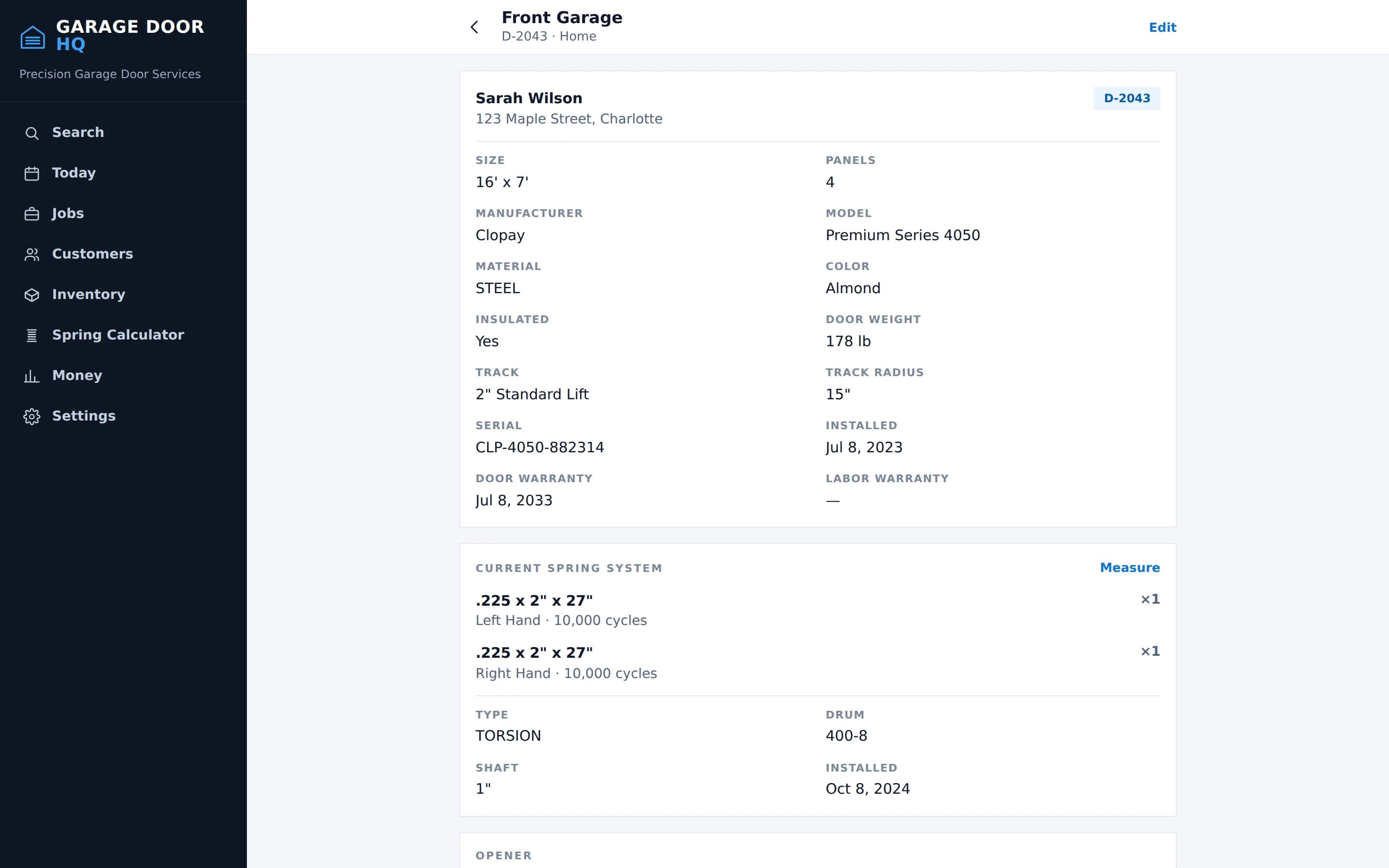
- Size, panel count and style
- Manufacturer, model and serial
- Material, colour and insulation
- Measured door weight
- Track type, radius and headroom
- Opener make, model and serial
- Spring type, wire size, wind, cycles
- Warranty dates, door and labour
- Full service history
- Photos from every visit
Replacements are history, not overwrites
Fit new springs and the old ones stay in the record with the date they came off. The passport tells you what is on the door now and what was on it before.
02 · Inspection → Estimate
A garage-door inspection, and the repair it produces.
Twenty-three components grouped the way the door is built. What the technician finds becomes what the customer is offered, without anything being written out twice.
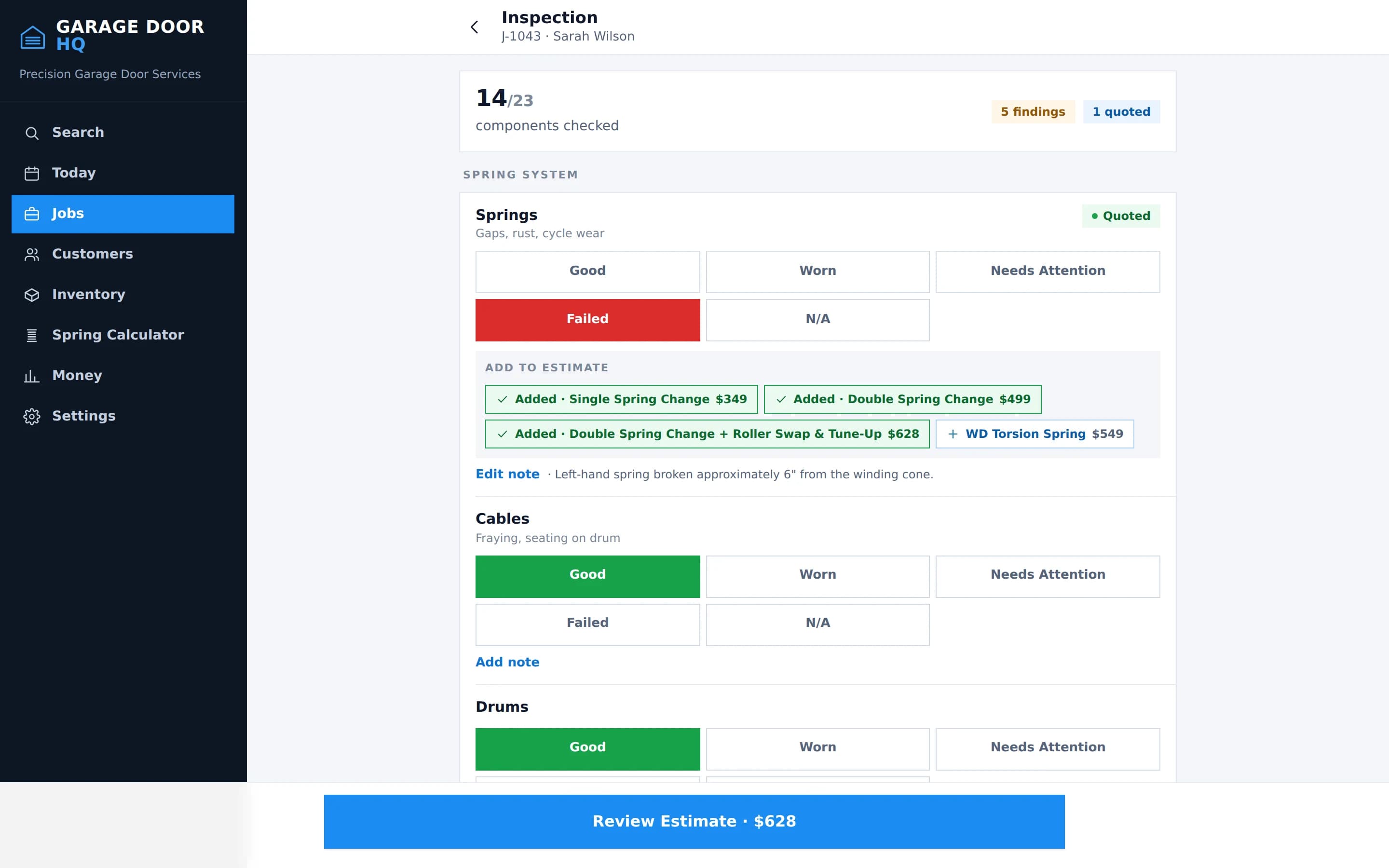
Each question has its own answers
One Good/Worn/Failed scale is wrong for most of a door, and wrong in a way that shows. Springs wear, so they are Good, Worn, Needs Attention or Failed. A balance test is Balanced, Needs Adjustment or Unable to Test. Lubrication is Complete or Needed. Noise is Normal or Excessive. Auto-reverse passes or fails.
Findings become line items
Anything worth quoting can be added to the estimate in one tap, priced from your own price book, with the inspection photos attached. The remedy mapping is yours to change.
One option, or three
Good / Better / Best is available when you want to present tiers. It is not required, and nothing pads an estimate to fill a layout. If the fix is a spring, present one price.
Anything typed during an inspection is saved on the device as you go and restored if the page reloads, so a driveway with one bar does not cost you your notes. It is a draft buffer, not full offline sync — the job still needs signal to save.
03 · Customer Presentation Mode
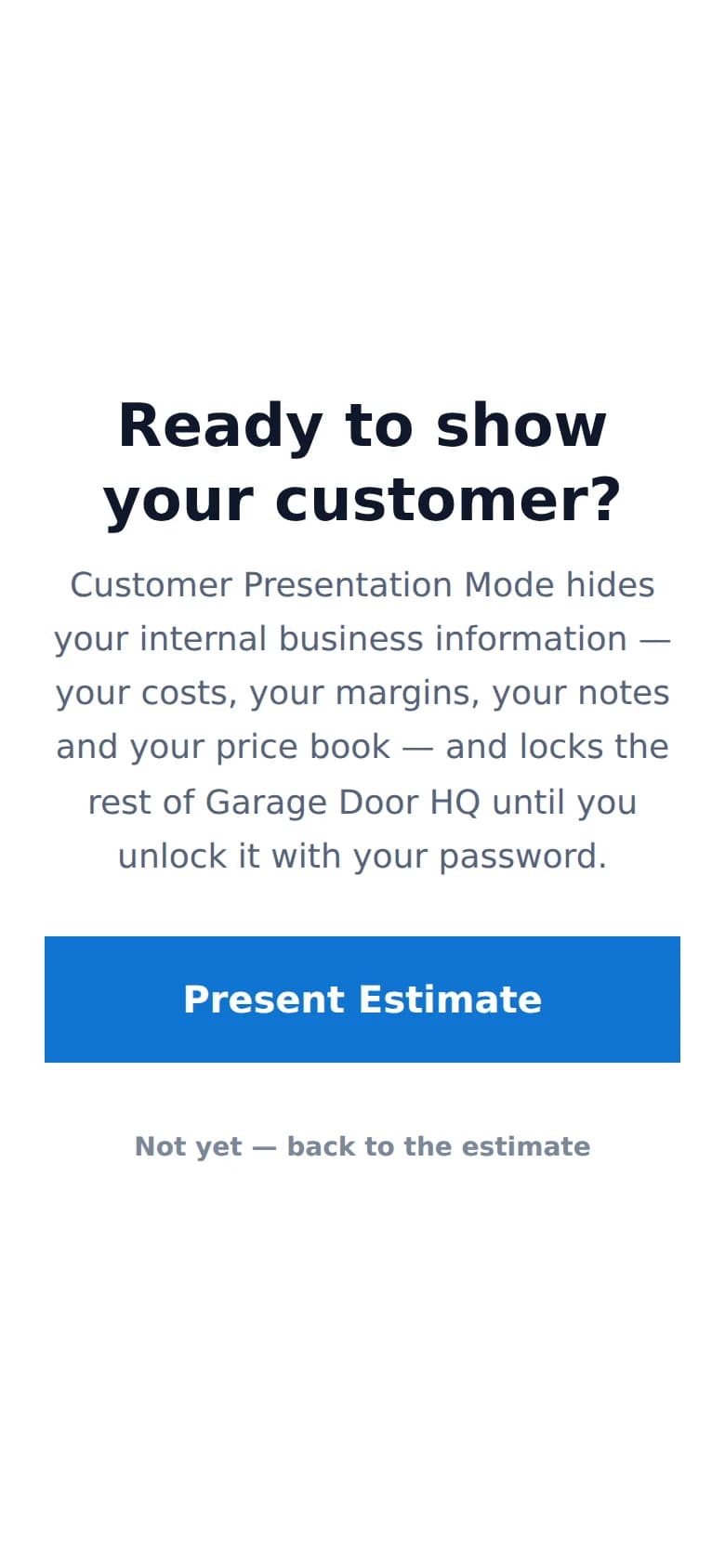
Hand them your phone.
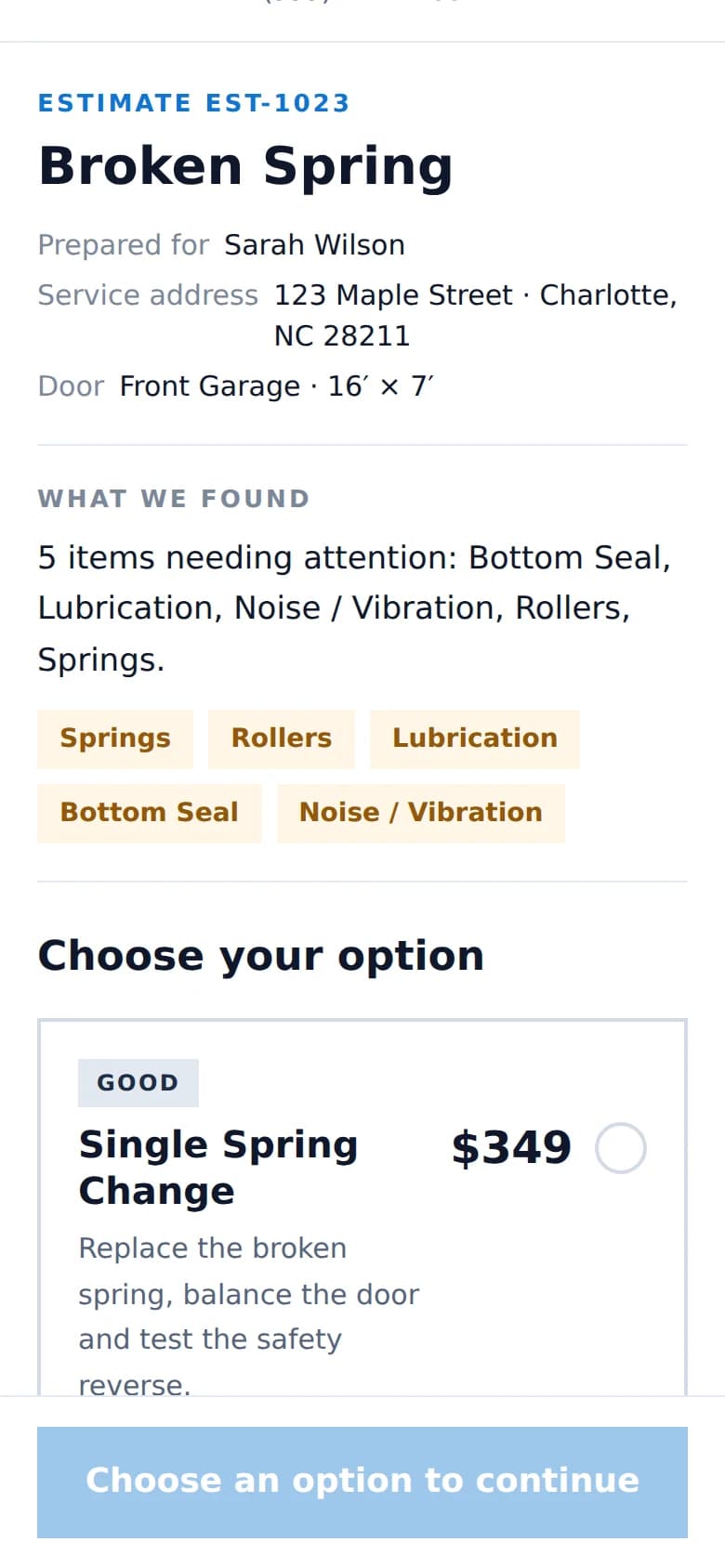
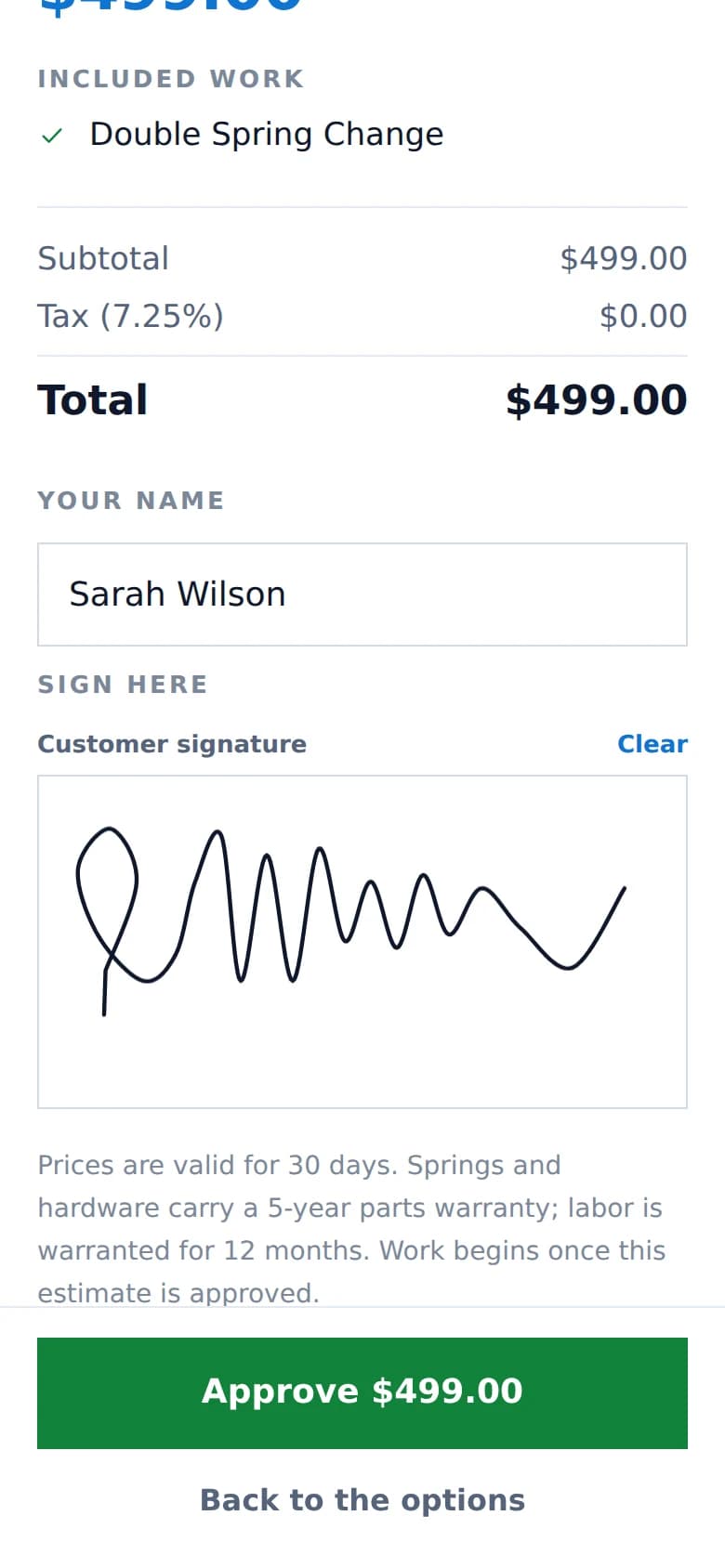
Your device becomes the customer’s estimate. They read what was found, choose when there is a choice, and sign — without installing anything or finding an email.
- 1Technician taps Present to Customer
- 2Hands over the phone or tablet
- 3Customer reviews the work that was found
- 4Chooses an option, when there is one
- 5Signs with a finger
- 6Hands the device back
Locked to one estimate, server-side
Navigating anywhere else is refused by the server, not merely hidden in the interface, and photos are limited to the ones on that estimate. Getting back out needs a technician password, so handing over your phone is not handing over your pricing, your other customers or your schedule.
Need to send it instead? For a full installation proposal, emailing a link the customer can open later — and talk over with whoever else lives there — is usually the better workflow. Both are built in.
04 · Spring lookup + truck inventory
Know the spring. Know if you have it.
Measure what is on the door and Garage Door HQ finds the matching parts in your price book — then tells you how many are on your truck, in the warehouse, and on everybody else's truck.
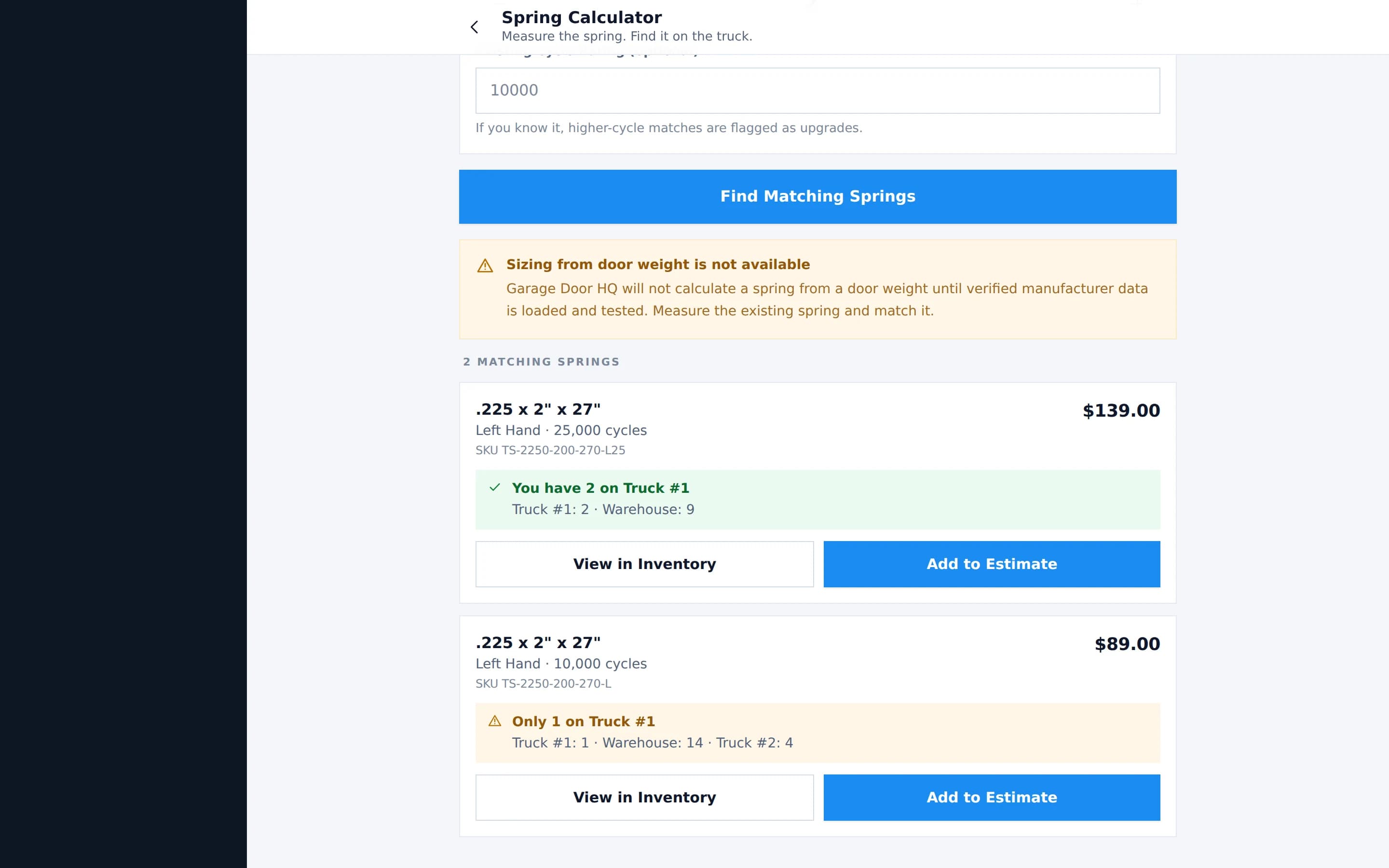
- Wire size, inside diameter, length
- Wind direction
- Cycle rating, upgrades flagged
- Quantity needed
- Stock on your truck
- Stock in the warehouse and other trucks
- Add the match straight to an estimate
- Open the part in inventory
Matching, not engineering
This matches a spring you have measured against parts you stock. It does not calculate a spring from a door weight — that is engineering, and a wrong answer puts somebody under a loaded door. The screen says so rather than guessing.
Everything else
The rest of the job, included.
None of this costs extra and none of it is held back for a higher plan, because there is no higher plan.
Run the day
- Today
- The next job, the day's schedule, what is done and what is left, revenue and average ticket.
- Scheduling
- Put jobs on the calendar, move them when the day changes, see the whole week.
- Jobs
- A job carries its customer, property, door, inspection, estimate, parts and invoice.
- Customers
- Customers, their properties, and every door at each one.
- Global search
- One box across customers, jobs and parts.
- Team and roles
- Owner, admin and technician, each seeing what that role should.
Do the work
- Parts catalogue
- Your own, with cost and price, searchable by specification.
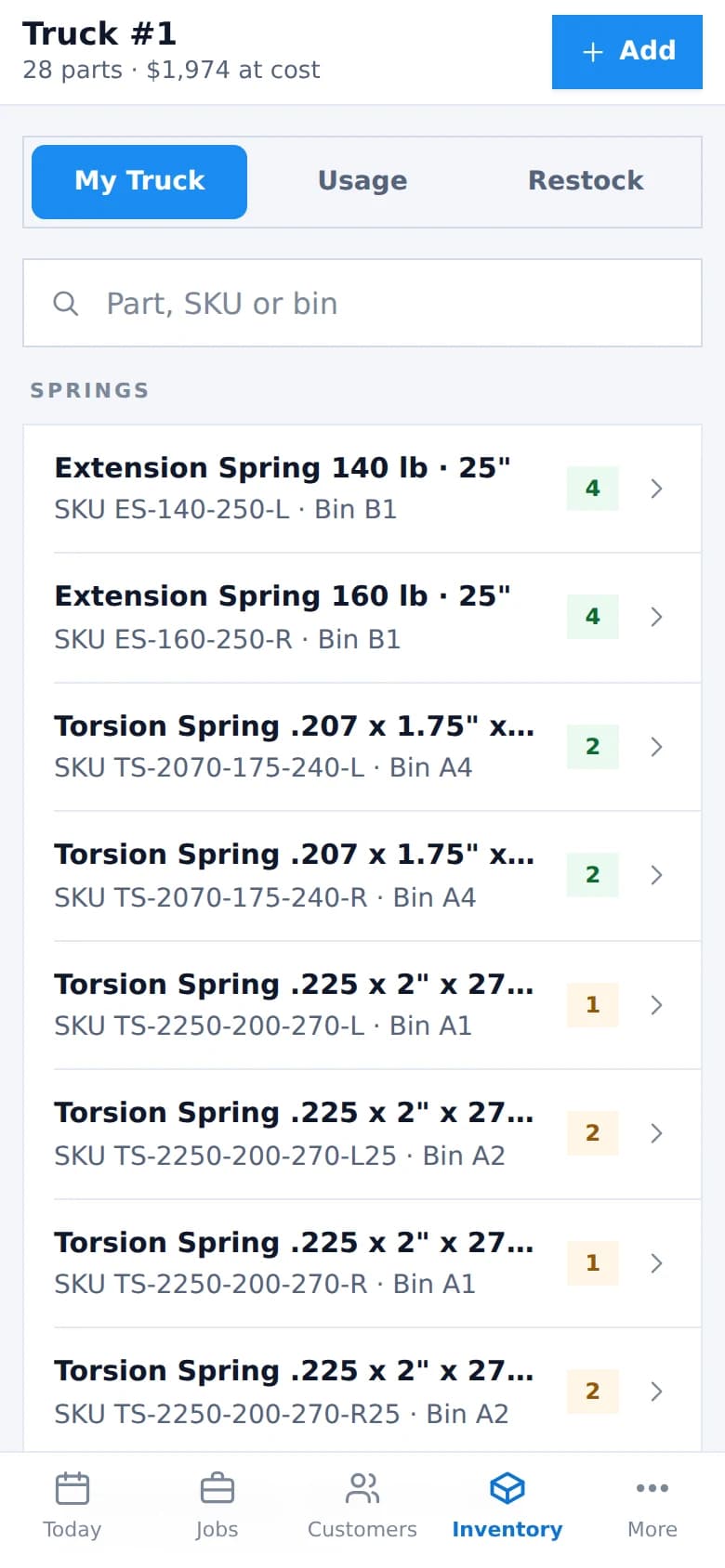
- Truck inventory
- Each truck is a stock location with its own counts.
- Warehouse inventory
- The shop stock, kept separate from what is on the road.
- Transfers
- Move parts warehouse-to-truck, or truck-to-truck.
- Minimum quantities
- Set a minimum per location and see what is below it.
- Parts usage
- Completing a job moves its parts out of the location they came from.
Get paid
- Invoices
- Built from the approved estimate and the completed job, with their own numbering.
- Card payments
- Through your own connected Stripe account, with your business as merchant of record.
- Cash and cheque
- Recorded against the invoice without connecting anything.
- Customer links
- Send an estimate or invoice as a link that opens that one document and expires.
- PDFs
- Estimates and invoices download as PDFs carrying your branding.
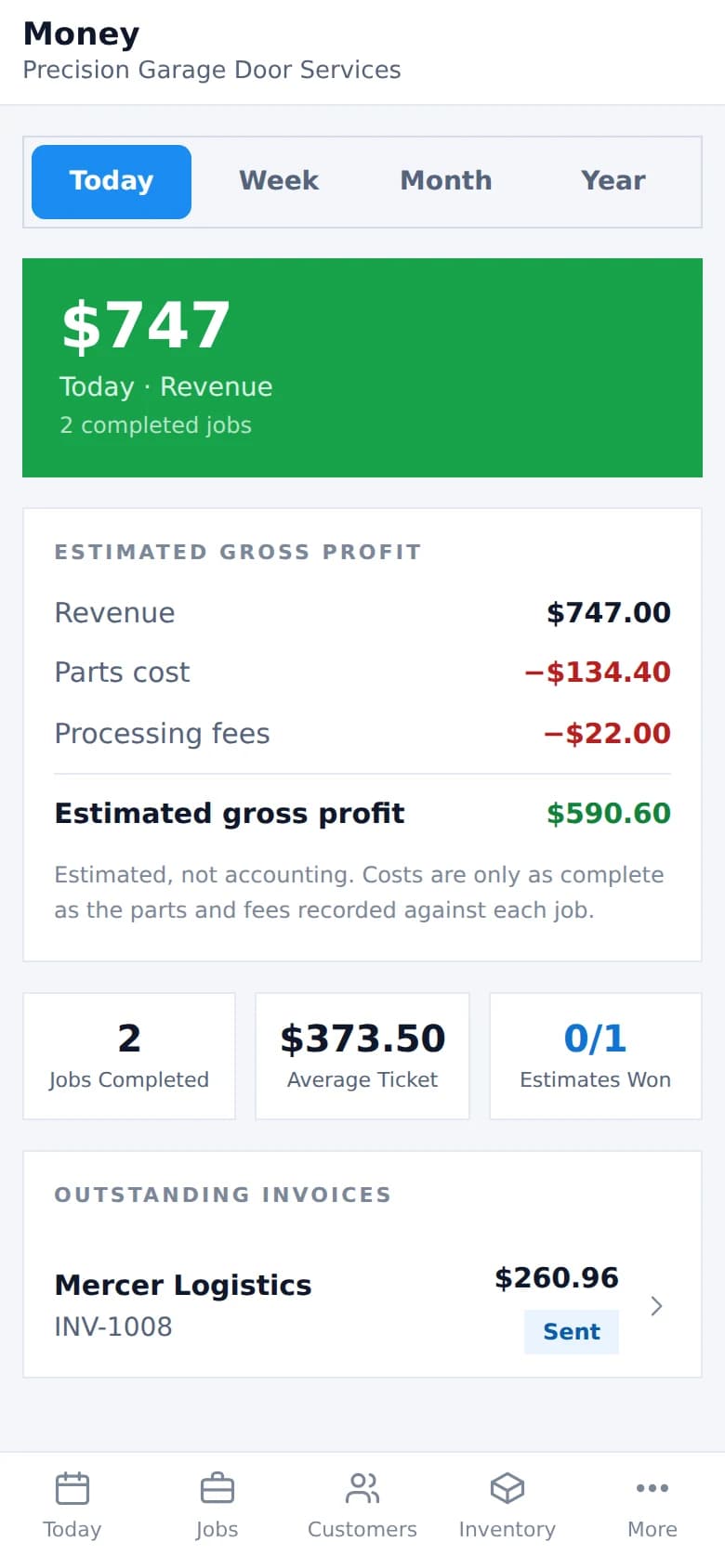
- Money
- Revenue, jobs, average ticket, parts cost, processing fees, outstanding invoices.
On the desktop too
Not just a phone app.
The same product, laid out for a screen with room on it. Price book, schedule and money are easier from a desk, and nothing is missing from either side.
Estimated gross profit on the Money screen is charged less parts cost less processing fees. It is for judging whether a job was worth doing. It is not accounting, and it does not replace your books.
See it with your own doors in it.
Add a customer, a door and a job in the first ten minutes. Nothing here needs setting up before it works.